
A portrait. A voice.A talking video.
Choose an avatar or upload a portrait, then give it a voice. Write a script and preview the speech, or supply your own audio, before creating a presenter video for your next edit.
Explore free, no card required. A paid plan is required to generate and export.

One portrait. One voice. A complete introduction.
This fictional presenter was made through Mozify with a Nano Banana 2 portrait, ElevenLabs narration and InfiniteTalk animation. Listen to the audio and watch the finished video.
Hear the narration
Read the script used in this example
You do not need to film yourself every time you have something new to say. This presenter started with a single portrait. The voice you are hearing was created separately, then brought together with that image in Mozify. Here is the simple version. First, choose a clear portrait with your face looking toward the camera. Next, add a voice recording with the message you want to share. Then open Talking Head, review the settings and the credit quote, and create your video. Use it to introduce your business, explain a service, or give your next post a familiar face. Keep your first script focused on one idea. Watch the whole result, check the voice and timing, and refine what needs attention. Your portrait. Your message. A presenter you can make your own.
View the production example →How to use Talking Head in Mozify.
Follow the steps below. Open any screenshot to see the controls at full size.
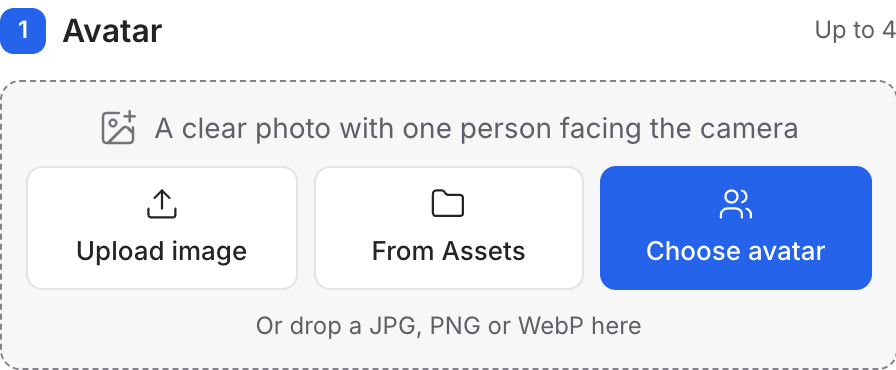
Choose your avatar.
Upload a clear portrait, select an image from Assets or choose an avatar from the library.
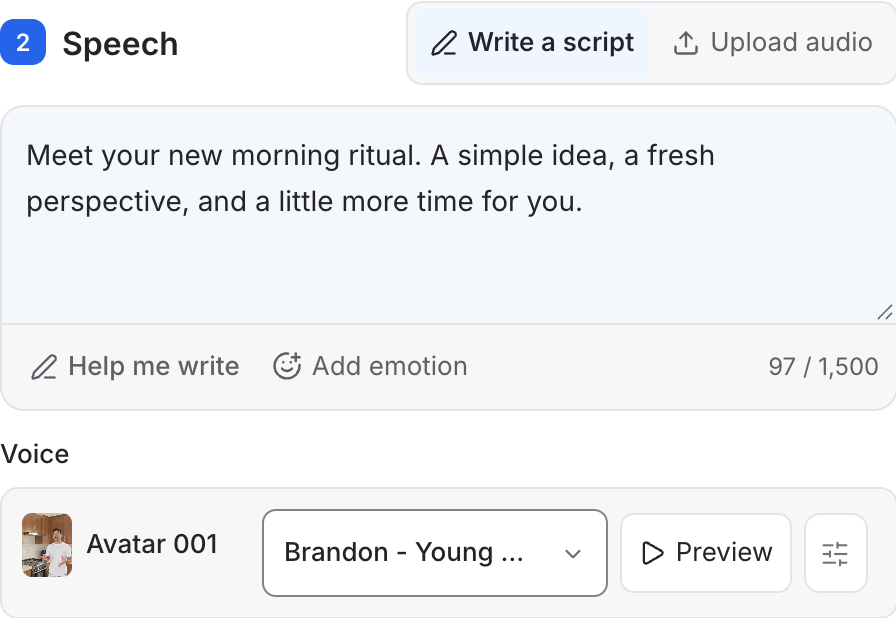
Write and preview the speech.
Add your script, choose a voice and use Preview to hear the delivery. Upload audio is available when you already have a recording.
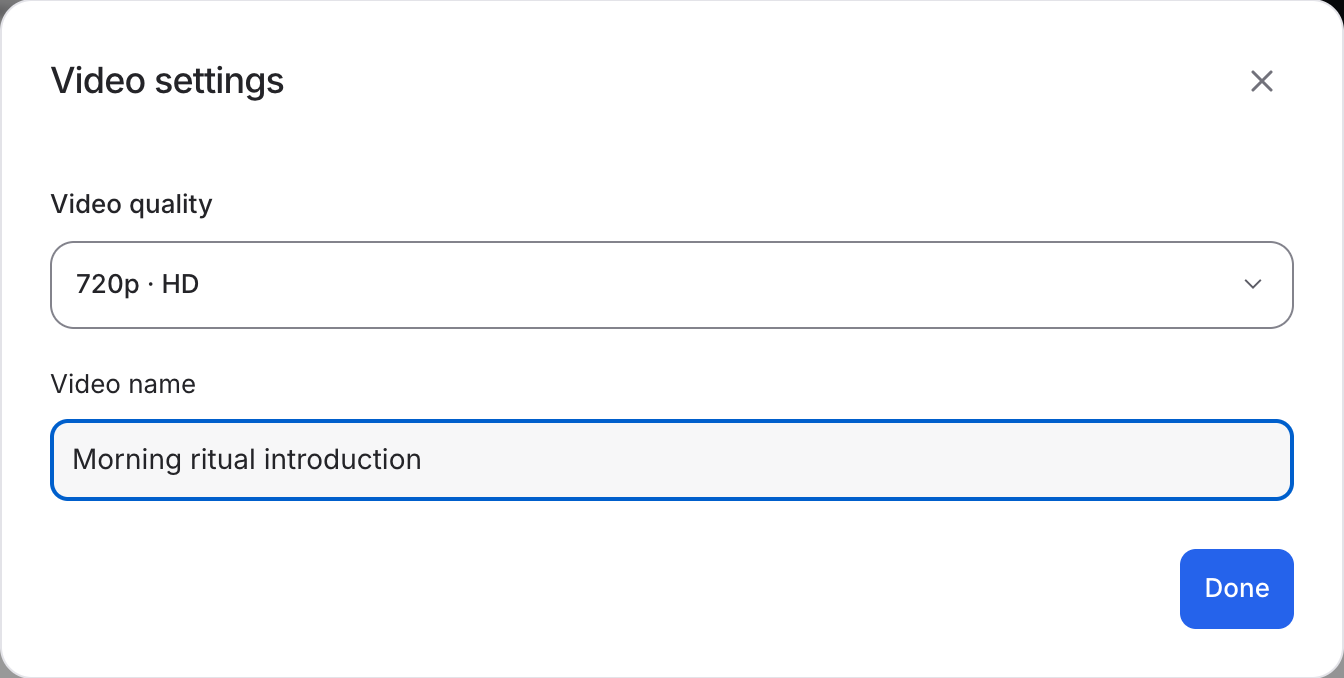
Create your presenter video.
Open Video settings to choose the output. Review the quote and create the video, then watch the delivery before using it in your edit.
Questions, answered
Yes. Talking Head is available with 1,000+ AI creators and support for 50+ languages. Choose your creator, add your script and create a presenter-led video.
Start your next project in Talking Head.
Bring your product, your brief or your next big idea. Start creating in Mozify.
Explore free, no card required. A paid plan is required to generate and export.