Your next scene.From idea to motion.
Create videos from text, starting frames or references. Choose a model and mode in the Video studio, review the credit quote and bring the selected takes into your edit.
Explore free, no card required. A paid plan is required to generate and export.
A story you can watch. A voice you can hear.
Two complete 24-second commercials generated from text with Seedance 2.5 in Mozify. Each has an opening, a developed sequence and a product ending, with native speech and sound. Press play to hear the full film.
How to use Video Studio in Mozify.
Follow the steps below. Open any screenshot to see the controls at full size.
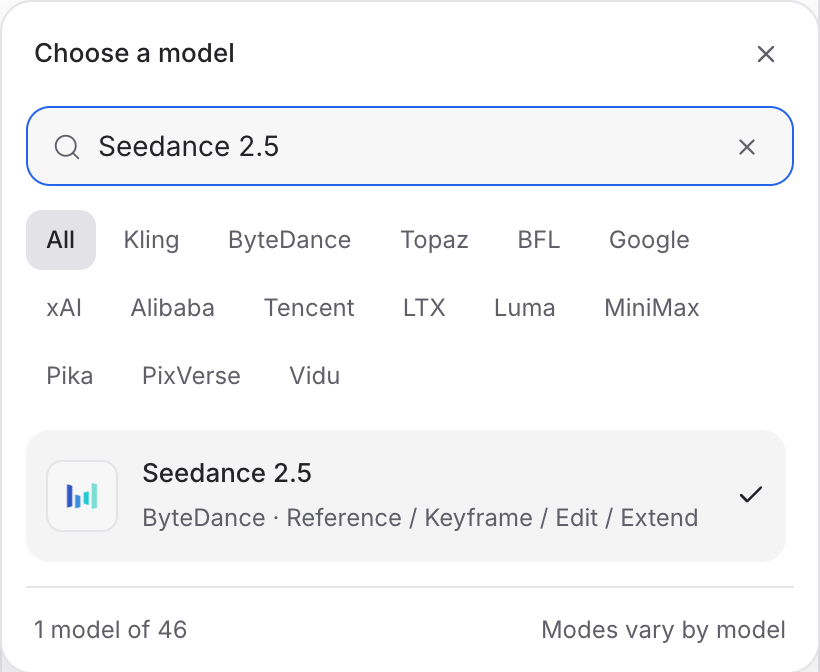
Pick your video model.
Open Video Studio and choose a model for the scene. The screenshots follow Seedance 2.5; other models have their own modes and controls.
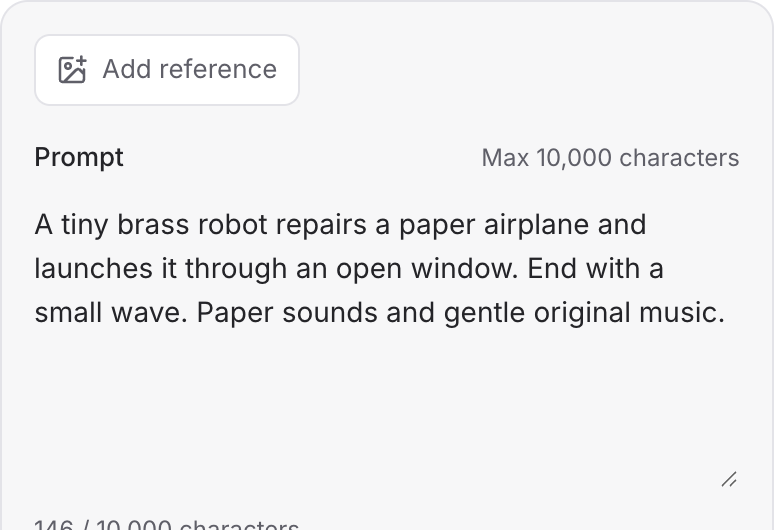
Write the action.
Describe what happens first, how the scene moves and where it ends. Include dialogue and sound direction in your brief.
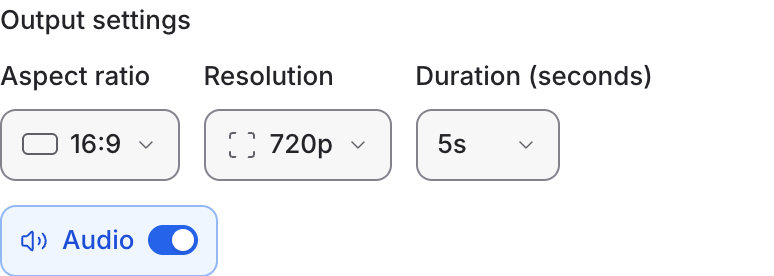
Choose the format and sound.
Set the aspect ratio, resolution and duration. Turn Audio on when available, review the quote and generate your video.
Choose the right starting point for the shot.
Open a model guide to compare its modes, prepare the inputs and explore a specific creative brief.
Explore models from the Mozify studios.

Gemini Omni Flash 1.1
Create from text or references, or edit existing video.

MiniMax H3 Max
Generate, stylize, extend and edit video in 15 modes.
Wan 3.0 Prime
Make videos up to 30 seconds with generated audio.
Seedance 2.5
Guide video with image, video and audio references.

Kling 4.0
Direct scenes with frames, references and video edits.

FLUX 3 Max
Create video from text, frames or timed keyframes.
Kling O3 Pro
Generate clips, edit footage and reuse references.
Veo 3.1
Create shots, connect frames and extend videos.
MiniMax H3
Create video from text, frames or media references.

Grok Imagine 1.5
Build short scenes from text and references.
Wan 3.0
Create video from prompts, frames or media references.

Luma Ray 3.2
Create clips, edit footage and change framing.

LTX 2.5 Pro
Start a video from text, an image or audio.
Open a guide to explore the inputs and a practical brief. Current availability and credit quotes are shown in your workspace.
Questions, answered
No. Text-to-video starts from a prompt. If product appearance is central to the shot, reference-to-video gives you a way to begin with an existing image instead.
Start your next project in Video Studio.
Bring your product, your brief or your next big idea. Start creating in Mozify.
Explore free, no card required. A paid plan is required to generate and export.