KLING 4.0 IN MOZIFY

Create cinematic videos with Kling 4.0.

Turn your prompt into a scene with motion and sound. Bring your selected take into Mozify Editor to finish the story.

A little piece of morningKling 4.0 · Text to video · 720p · Generated audio
See the brief

From $39/month · 800 credits on Starter

No card to create an account. A paid plan is required to generate and export.

Build the scene
3–30 seconds
Choose the detail
720p / 1080p
Direct the sound
Native audio
AN ORIGINAL KLING 4.0 FILM

One cup. Three shots. A complete little story.

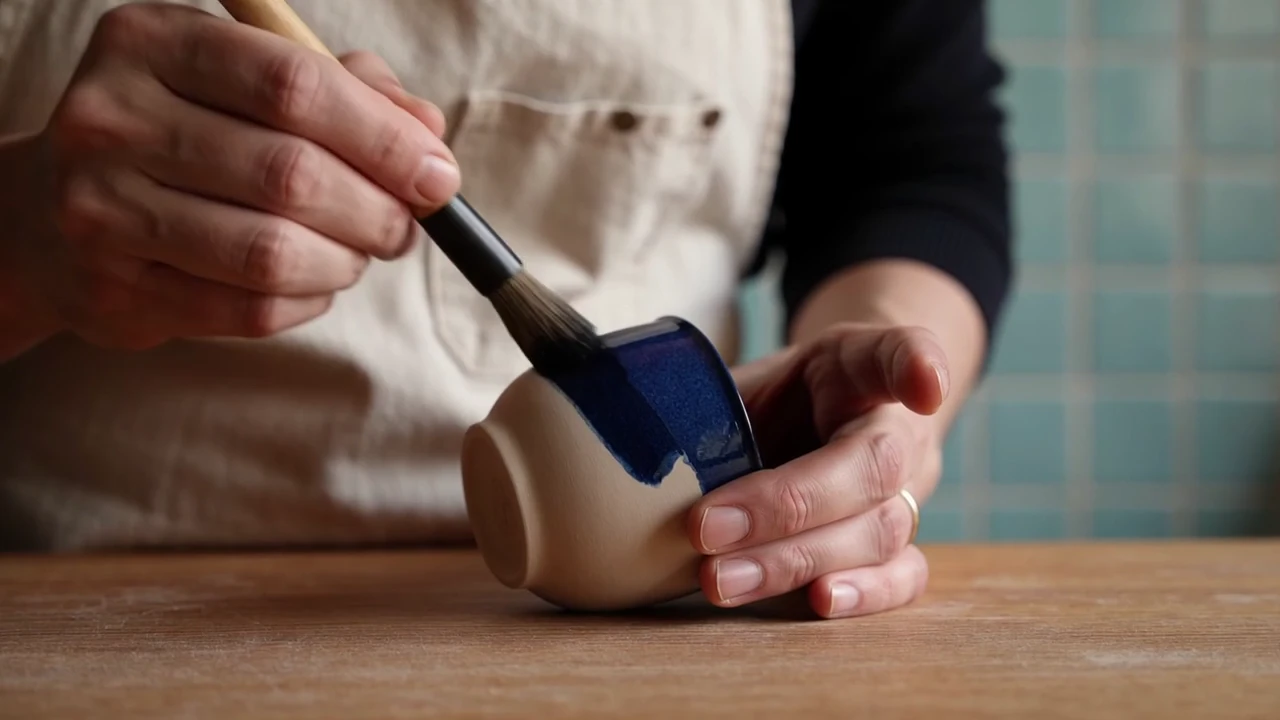
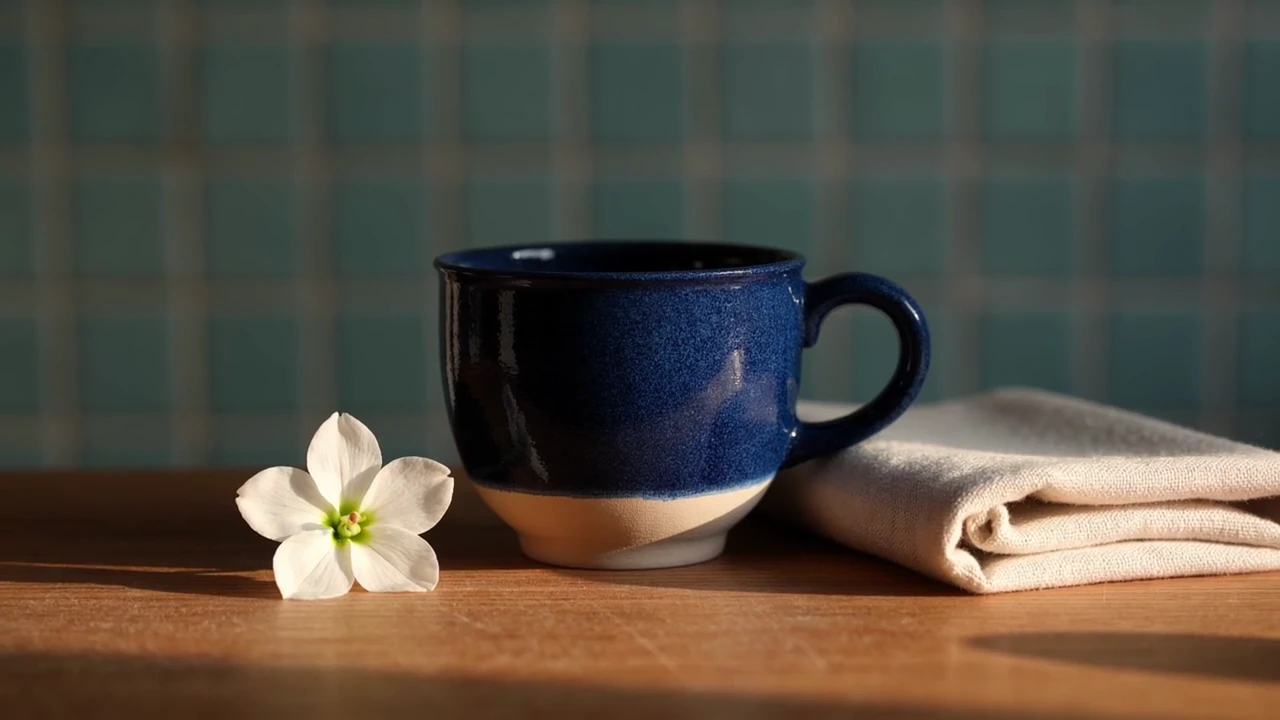
Follow the cup from the potter’s brush to a sunlit table. These are frames from the 18-second film above, generated in one run with three shot prompts.

The potter brushes cobalt glaze onto the cup. The close composition puts the hands, brush and ceramic surface at the center of the story.
FRAME FROM THE FILM · 00:01

Begin with the making.

The potter brushes cobalt glaze onto the cup. The close composition puts the hands, brush and ceramic surface at the center of the story.

The last shot settles on the finished cup beside a white blossom and folded linen. Compare its handle and blue glaze across the three scenes.
FRAME FROM THE FILM · 00:16

End on the object.

The last shot settles on the finished cup beside a white blossom and folded linen. Compare its handle and blue glaze across the three scenes.

THE BRIEF BEHIND THIS RESULT

A little piece of morning

A cobalt cup moves from the potter’s brush to the window and a sunlit still life. Three six-second shot prompts shape one original 18-second Kling 4.0 generation.

Read the generation prompt
Shot 1 · 6 seconds Premium cinematic pottery film, warm morning light in a small artisan studio, blue tiled wall and oak workbench. Close shot: an adult potter in a cream linen apron carefully brushes a deep cobalt glaze onto one small ceramic cup with a rounded handle. Slow camera push, tactile glaze and clay, believable hands. Quiet brush sounds, soft original piano begins. No lettering, brands or subtitles. Shot 2 · 6 seconds Same artisan studio, cream linen apron, oak bench, cobalt cup with one rounded handle. The adult potter turns the finished glossy cup gently in both hands near a sunlit window, showing its rich blue surface and subtle handmade texture. Camera follows a small graceful arc. Natural hands, one continuous cup, warm highlights. Quiet ceramic contact, soft original piano continues. No lettering or logos. Shot 3 · 6 seconds Concluding product shot in the same warm studio: the finished cobalt ceramic cup with one rounded handle rests on the oak table beside a small folded linen napkin. A hand sets a little white blossom beside the cup, then leaves frame. Slow pullback to a calm sunlit still life, hold the final composition for two seconds. Soft ceramic tap, room ambience, original piano resolves. No text, logos or subtitles.
Input mode
Text → Video · Multi-shot
Final film
18 seconds
Shot prompts
3 × 6 seconds in one generation
Web format
1280 × 720 · 24 fps
Audio
Native generated audio

One original 18-second Kling 4.0 Text generation at 720p, using three six-second shot prompts. Native audio retained, the output trimmed to the requested duration and playback loudness normalized.

Start your own scene

Opens Kling 4.0 Text. Add your brief and review the quote before generating.

FROM YOUR BRIEF TO YOUR FIRST TAKE

Give the scene a beginning, an action and an ending.

Use the studio controls to shape the shot, then check the credit cost before you create.

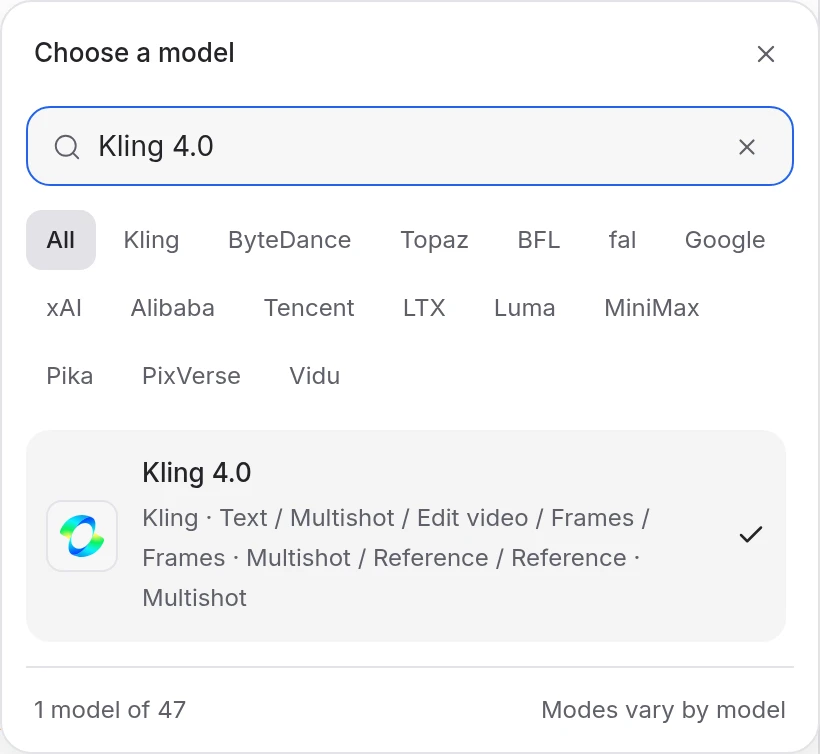
  1. Choose Kling 4.0 and a mode.

    Open Video Studio and select Kling 4.0. Choose Text for a written scene, Frames for an image sequence, Reference for a scene guided by supplied media, or Edit video for existing footage.

    Mozify Kling 4.0: select the model and input mode
  2. Describe the action and sound.

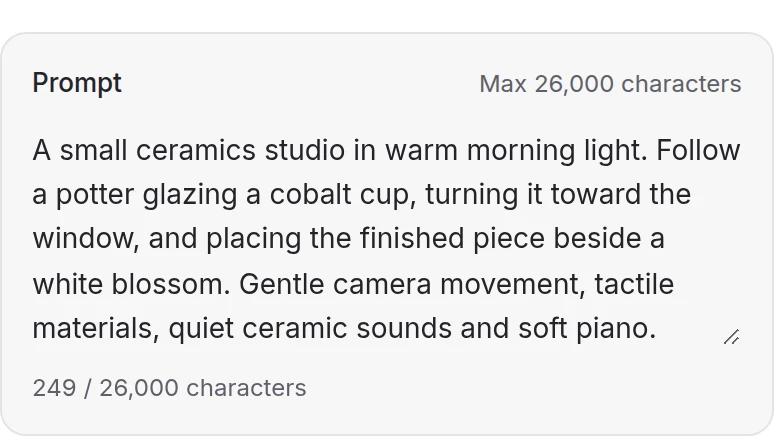
    Add the media required by your mode and describe the scene, movement and sound. Text, Frames and Reference also support multiple shot prompts with individual durations.

    Mozify Kling 4.0: describe the scene, movement and sound
  3. Set the clip and generate.

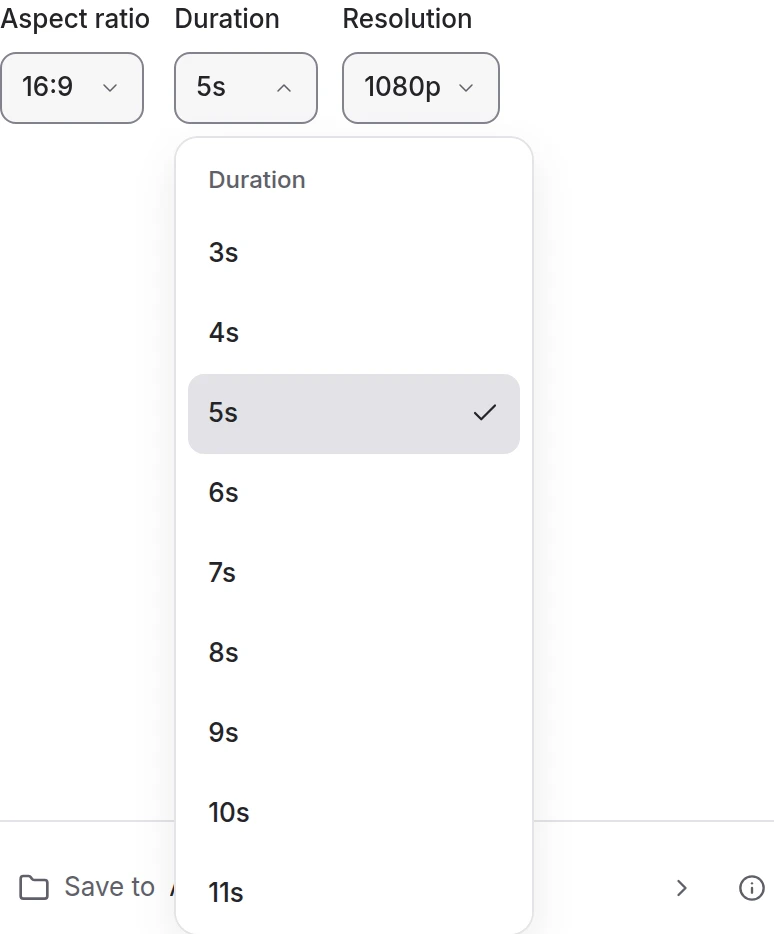
    Choose 720p or 1080p and 3–30 seconds in the creation modes. Edit video can follow the source duration. Review the credit quote, generate and watch the full result with sound.

    Mozify Kling 4.0: choose the available generation settings
KEEP CREATING IN MOZIFY

The clip is your starting point.

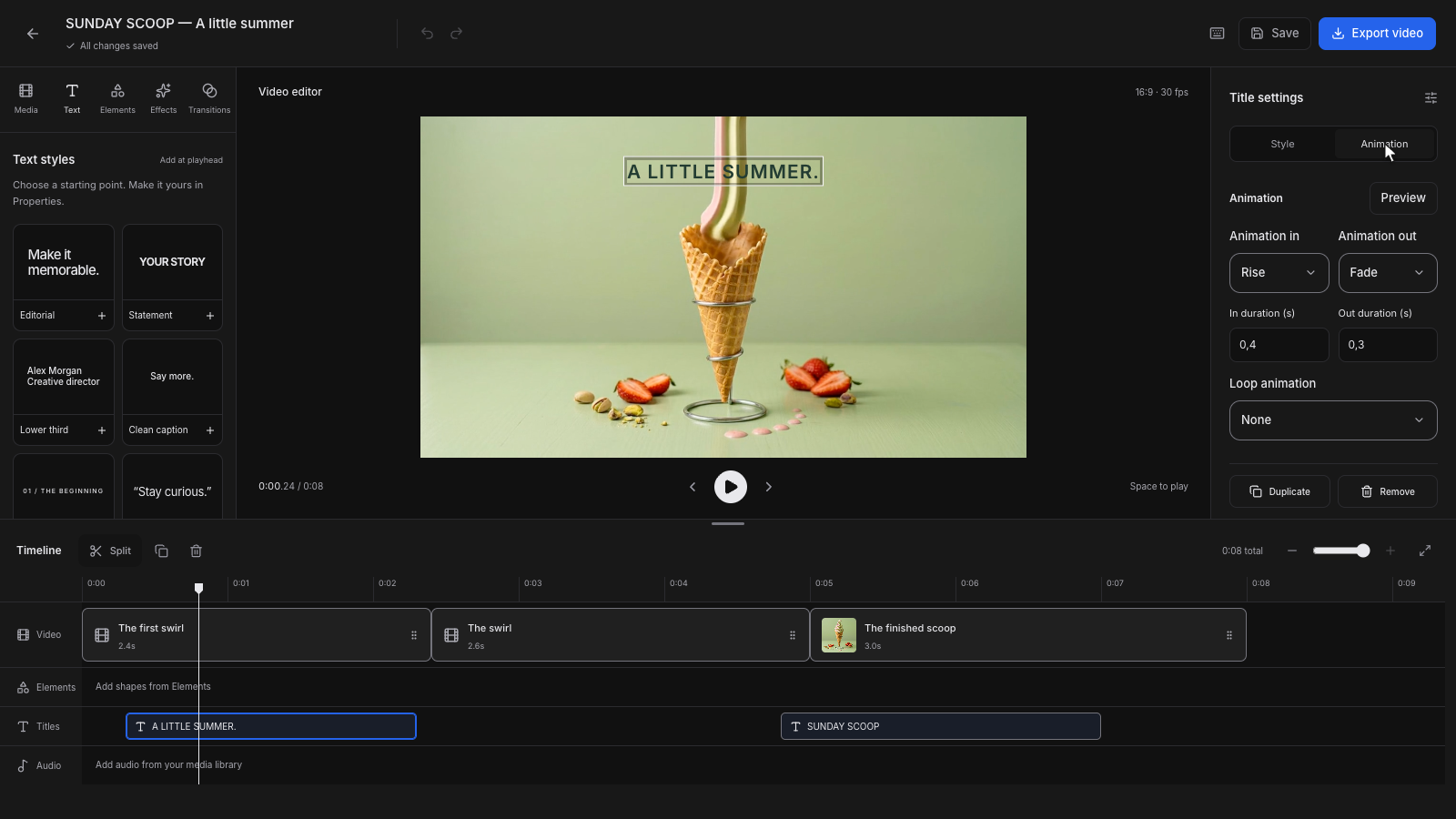
Keep the take you like in Assets, bring it into an Editor project, and shape it around your message. Trim the timing, add titles and sound, then preview the complete edit before exporting.

  1. 01 Save your selected take
  2. 02 Add your message in Editor
  3. 03 Preview and export your video
Begin with Kling 4.0
Sunday Scoop video project with its preview, titles and timeline
Mozify Editor interface · a separate editing example
PLANS & KLING CREDITS

Know what you’re paying for.

Your subscription gives you the workspace and included credits. Each generation has its own credit quote.

STARTER · MONTHLY

$39 / month

800 credits each month

  • Image, video and Talking Head tools
  • Mozify Video Editor and private Assets
  • 3 workspace members · 25 GB storage
Open Kling 4.0

Billed monthly in USD, excluding applicable tax. Renews until canceled. Choose your plan in the workspace.

Compare all Mozify plans ↗

What changes the credit cost?

Duration
A short take and an 18-second story use different amounts of credits. Start with the duration your idea needs.
Resolution & mode
720p, 1080p and the selected input mode affect the quote. Review the cost for your exact settings.
New takes
Allow credits for each new generation. Your prompt and settings guide the result; each take can differ.

There is no fixed number of Kling videos per plan. Included credits expire at the end of the paid period. Top-ups require an active paid plan.

Read billing & refund conditions ↗
CHOOSE YOUR STARTING POINT

A prompt, a frame or footage of your own.

The film above uses Text. Explore the other catalog modes below; your workspace shows which profiles and settings are enabled.

KLING 4.0 / TEXT

Start in Text mode.

Describe the scene and sound, or build a sequence of shot prompts totaling 3–30 seconds. Choose 720p or 1080p and a supported aspect ratio. Audio direction belongs in the prompt.

Open this mode in Mozify ↗
Media inputs supported
Text prompt; no media input in this profile.
Creative controls
Aspect ratio · Duration · Shots · Resolution
Before generating
The workspace shows required inputs, available values and the credit quote for the selected mode.

Questions, answered

Creating an account does not require a card. Kling video generation requires an active paid plan and enough credits for the selected settings. Starter is $39/month with 800 credits. Free image credits and Seedance bonuses do not cover Kling generations.

YOUR NEXT SCENE

Give your idea its first take.

Open Kling 4.0 in Mozify, describe the scene and review your credit quote.

Create with Kling 4.0

Plans from $39/month. Paid plan required for generation and export.