Mozify vs Creatify: AI Ad Creation Compared
Build the campaign around your product.
A product campaign can need a static ad, a presenter opening, a close-up and several edits of the same story. Mozify gives you a place to build those pieces from your own references and bring them together. This comparison helps you choose a production process that fits the assets you already have and the decisions you want to make yourself.
Explore free, no card required. A paid plan is required to generate and export.
Build the campaign around your product.
Choose Mozify when you have product photos or campaign references and want to direct the images, footage and final edit. Image Studio, Video Studio, Talking Head and the Editor share a workspace with your Assets.
- Start with the product reference you choose
- Build both static and video creative
- Keep the selected takes available for your next edit
When Creatify may fit
Creatify is worth evaluating when product-URL ingestion and an advertising suite with research, publishing and performance tools are central to your work. [1]
See the side-by-side comparison ↓Mozify vs Creatify: the workflow comparison
| Your task | Mozify | Creatify |
|---|---|---|
| Starting material | Product images, text briefs and supported media references. | Product-URL ingestion for ad creation. [2] |
| Creative planning | Agent briefs and saved Workflows alongside the studios. | Creative Agent and Ad Flow. [1] |
| Output formats | Campaign images, generated footage and presenter videos. | UGC, product videos and image ads. [1] |
| Finishing the ad | Arrange clips, titles and audio on the Video Editor timeline. | Ad creation alongside publishing and performance tools. [1] |
Official product information reviewed 12 October 2026. Model access and plan allowances can change.
Start with the product details you want to preserve
Creatify’s URL-to-video workflow takes a product-page link and uses its details to prepare an ad. That is a useful starting point when the listing already contains the material you want to use. [2]
Mozify starts this workflow with an uploaded product image and a brief. You choose the packshot, approved colorway and visual reference before generation. This suits launches where the campaign image needs to differ from the store listing: a seasonal setting, a close-up of a specific detail, or a composition with space for your headline.
That control still needs a review step. Inspect the generated label, proportions and small details against the original. Keep approved product photography for shots where exact packaging is essential, and use generated scenes where they serve the creative direction.
See reference-based image creation ↗Make a set of assets you can keep editing
A useful campaign often begins with one approved visual direction and then branches. In Mozify, develop the still in Image Studio, create motion with a supported Video Studio profile, and add a presenter introduction when the message benefits from a voice. Store the selected outputs in Assets so the next version can use them again.
The practical benefit appears during revisions. If the hook changes, you can retain a suitable product shot and rearrange the sequence in the Editor. If the offer changes, edit the title in the timeline. Generate a new take when the scene itself needs to change. This keeps creative decisions close to the actual deliverable.
Creatify also has an Agent and tools beyond URL-to-video. Your choice should account for its wider advertising workflow, rather than assuming it only converts links. [1]
Explore Mozify for ecommerce brands ↗Separate making the ad from measuring the campaign
Mozify’s documented workflow takes you through media creation and export. After exporting, use your advertising platform to publish the ad and measure results. A stronger-looking image or an additional variation does not establish a lower acquisition cost by itself.
For a team that already has a media-buying process, this is a clear place for Mozify to fit: the creative workspace that supplies finished assets. Keep the brief, reference, selected footage and edit together while your existing campaign tools handle delivery and reporting.
See the product-photo-to-ad walkthrough ↗A product scene, developed into a campaign poster.
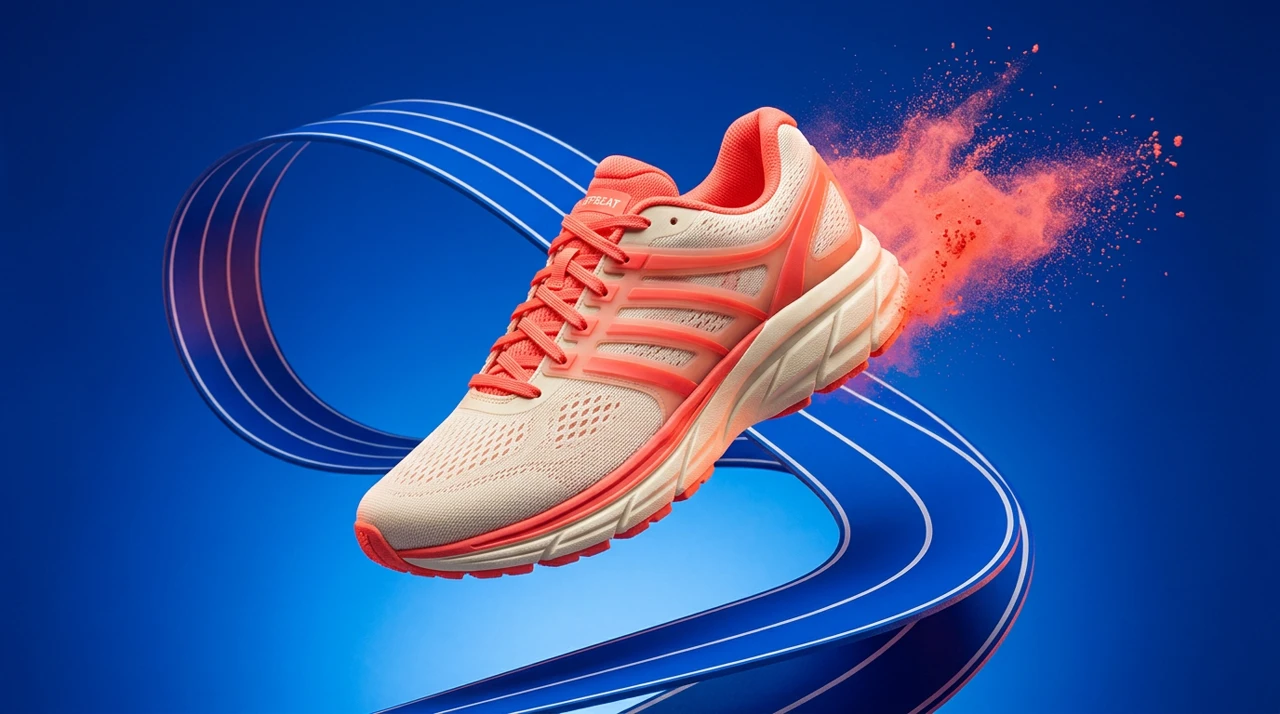
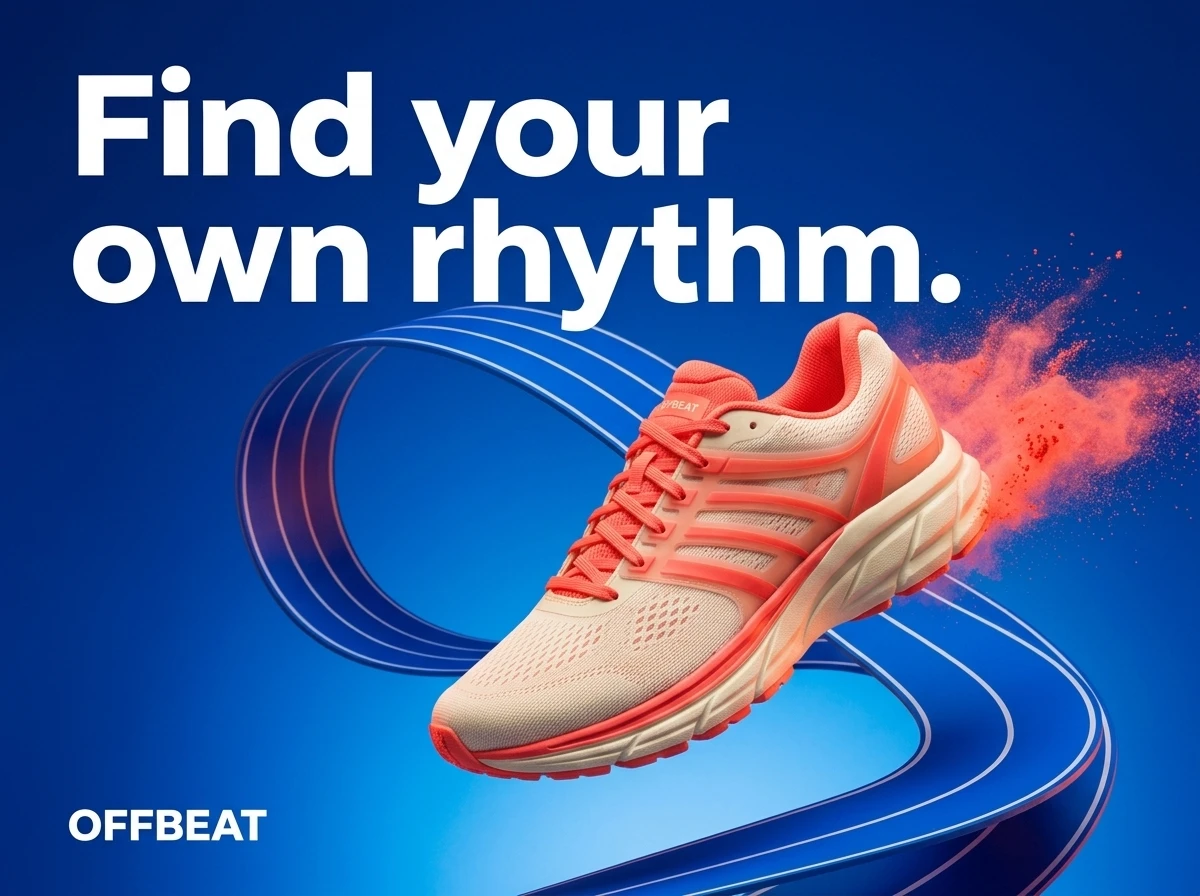
The OFFBEAT example shows a reference scene and a selected Nano Banana 2 poster edit created through Mozify for a fictional campaign. Compare the shoe details and headline treatment, then open the model guide to inspect the creative brief.
Inspect the Nano Banana 2 examples ↗Try a product launch brief in Mozify
The briefCreate a shoe launch with one static ad and a short video. Keep the product reference consistent and leave space for a seasonal offer.
Choose the image direction
Supply the product reference, describe the scene and inspect the selected still before using it in further work.
Create the moving shot
Choose a model that accepts your reference. Describe the motion, select supported settings and review the quote.
Finish the launch edit
Arrange the selected take, product still and offer title in the Editor. Preview the complete sequence and export.
Compare the cost of the approved asset set
A subscription price alone will not tell you what the shoe campaign costs. Count the still-image attempts, video takes, presenter work and final revisions you actually need. Mozify shows a generation quote before confirmation; the selected model and output settings affect it.
Use the same deliverables and billing period when comparing plans. Credit units are specific to each platform, so a larger credit count does not necessarily buy more of the work you need.
- One approved static image and one finished video
- The same aspect ratios, duration and sound requirements
- Retries and revisions included in the production total
Choose Mozify for a campaign built from your own creative decisions.
Mozify is a strong Creatify alternative when you want to choose the product reference, develop the visuals and keep arranging the finished story. Bring one real brief, make the assets your campaign needs and evaluate the result at the size your audience will see.
Start your own brief ↗Explore free, no card required. A paid plan is required to generate and export.
Mozify vs Creatify: frequently asked questions
Is Mozify a Creatify alternative for ecommerce ads?
Yes. Mozify supports a product-image-to-campaign workflow with image generation, reference-based video, Talking Head and timeline editing. It fits teams that want to select and develop their own assets.
Can I paste a store URL into Mozify to generate an ad?
Start with your product image and a brief in Mozify. Automatic store-URL ingestion is not part of the workflow described here. Download your approved packshot and provide the product details you want the creative to communicate.
Can I make both static ads and video ads in Mozify?
Yes. Use Image Studio for stills and reference edits, Video Studio for footage, and the Editor to combine media, titles and audio. Supported inputs and output settings depend on the chosen model.
Is Mozify cheaper than Creatify?
That depends on the plan and the work you generate. Compare a matching set of approved assets, including retries and editing, rather than treating the two platforms’ credits as equivalent. Mozify’s current plan allowances are listed on its Pricing page.
Sources & editorial approach
Written by Mozify. Competitor details are based on the official pages below, reviewed 12 October 2026. Recommendations reflect Mozify’s view of the workflows; the examples demonstrate our production process and are not comparative performance benchmarks.
- Creatify platform overview
- Creatify URL to Video